This is yet another theme site, created by Sadish Bala. Visit his WordPress blog at WordPress Rocks

on March 5th, 2007Special Tip for WordPress.com users

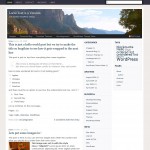
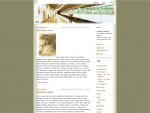
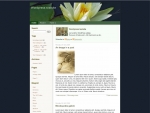
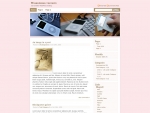
Thanks to Matt, MistyLook is now made available to wordpress.com users.

When I was checking out some wordpress.com websites using the MistyLook, I see the blogroll is not properly displayed when using widgets.

To fix this, go into your sidebar widgets, look for another “Links” widget from the available widgets and drag and drop that into your sidebar. Thats all.

Enjoy !
6 Responses to “Special Tip for WordPress.com users”

  1. jmyon 07 Mar 2007 at 12:04 am 1

    Thanks for the tip… just remember to add the extra “links” widget but then remove the one previous being used or you will have two links widgets appearing…

    again…thanks for the tip.. the sidebar looks much better now!

    Love the Theme… I switched to it immediately!

  2. photoelectricianon 08 Mar 2007 at 3:40 am 2

    Hi, I just joined WP and like your theme the most among the choices. But I can’t seem to add an “About” widget to my sidebar unlike on the sneak preview of a sample blog they show you. Is that going to be implemented in the future, or can I add that widget with some tweaking? Please let me know. Thanks! :)

  3. skon 10 Mar 2007 at 7:09 pm 3

    Hi, thanks for the great theme - it’s beautiful (I did a post on it actually). Just one question - I’ve used statcounter (invisible) on my blog before in a text widget but with MistyLook when I do, a small button appears (making it not-so-invisible). I tried in the pages as well - same thing. Any info/help? Thanks and keep up the great work!

  4. Christian Spannagelon 16 Mar 2007 at 6:33 am 4

    Hi,

    I now use the MistyLook Theme with my wordpress.com weblog, and I love it! I think it is the most beautiful one among the choices (just like photoelectrician said). I use my own header image - which is coincidentally misty, too.

    And: The RSS feed links and the search field in the top right corner are great!

  5. Melynn Allenon 16 Mar 2007 at 7:40 am 5

    Hi,

    I use the MistyLook Theme and love it! I have only 1 question and I see someone else had the same problem. The Links sidebar widget doesn’t display properly. The tip that was mentioned earlier, to go to the sidebar widgets and replace the Links with another one in the menu worked to fix the display problem, but then I got 2 headings that say “Links” within the same category. So for now I’ve gone back to the first version. It’s not a huge issue, but was just wondering if there was a way around it. Thanks! Beautiful template, BTW…

  6. Sadishon 16 Mar 2007 at 10:22 am 6

    No support questions will be answered here. Please go to http://forums.wpthemes.info if you need any support.

    Thanks
    Sadish

Trackback URI | Comments RSS

Leave a Reply

Premium WordPress Themes