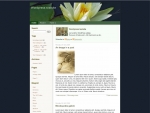
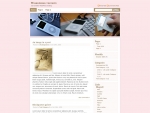
on February 17th, 2007Custom Image Header
Custom Image Header, is a new feature built in with WP 2.1 and we made an update to our MistyLook theme to provide that feature.
I would like to know, how many people actually use that feature. If you did, show us what you have done.
and we are also surprised(may be proud) to see there is no competition for our theme on this feature.
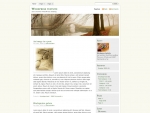
hello, I have been admiring all the wordpress blogs like yours and want to know how I can do it myself. Have a look at what I have done at susaneb.wordpress.com
Could I change my theme/template for a different one? Is this just a matter of upgrading??
thanks, susan
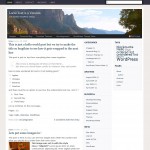
Sadish, I’ve used the custom header feature of your MistyLook theme here: http://stoutmemorial.org/voices. The image currently in the header as of the time of writing is a winter scene of my house during a snow storm. I really like this feature and have yet to see it another theme and I’ve looked at many themes since the release of WordPress 2.1.
Using it at my website: http://sdblogg.se
Your theme is awesome!
Hi,
I found your theme and immediately installed it. I change the header image from time to time and love having that flexibility. Thanks for your efforts!
I have been using your Fast Track with the custom header - I really love the ability to change the header image easily. I have changed the colors on the theme though. Thanks for the great theme!
Just started my first blog: had difficulty with the Custom Image Header feature and wound up uploading my own image into the right folder and renaming it misty.jpg! Not the ideal solution: I’ll change the name back and alter the CSS.
It seems I may have a permissions problem on my server (Windows 2003)? So I’ll have to look into it. Anyhow, the image is updated and I love your theme!
I see that you’re originally from India - now there’s a coincidence, my very first post is about a journey to India…
Hi Sadish,
I really love your theme! I have only one wish and that is for the categories to be able to be on the right hand side of the column. At the moment I am trying to learn how to use the category widget.
Best Wishes!
Dear Sadish!
Thanks for the theme. It is really great. Nicelooking and useful. Thanks for yur effort.
I think being able to customize the images make our pages much more personal and easier to relate too. I use it on my site at http://jjgrantham.net
I like your theme a lot. I’m, new to WordPress and tried out several themes until settling on yours. Being able to easily change the title image is awesome, I used it here: http://www.tjunker.org/WordPress
I made a few small edits based on WordPress’s default theme: I like it better if the single post page has no sidebar. My new single page layout is a hybrid between yours and the default theme.
Just wanted to let you know that the page Erik Almqvist (above) is linking to belongs to a fascist party in Sweden.
Hi there Satish and nice themes you have buddy.
I edited the custom header and you can click the link to see how it looks.
Thanks so much for the lovely Mistylook theme, Sadish. You do great work! I sincerely appreciate your efforts, and I love the theme.
I am using Mistylook with a custom image header at my Paper Laces web site.
I am using it on my art blog too, although I made some modifications to enable it to fit into the structure of my web site. (The site is not finished yet, but I’m working on it!)
Anyway thanks again!
-Amy
I love the Mistylook theme and am using for my blog. I replaced the image header with one of my own that has the name of the website within the image.
I would like to keep the weblog title as the name of the site, since that will show in the browser title, but I would like to remove it from the top of the actual webpage, since I now have it in the image at the top.
Can you tell me how I would remove it from the top?
Thanks,
Chris
refinance fha guidelines streamline with refinance streamline fha