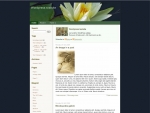
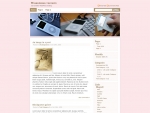
on January 29th, 2005ShadedGrey for WP 1.2
Due to popular requests from so many people, I decided to port the ShadedGrey Theme for WP 1.2.
It wasnt too difficult as I thought it would be, and here I am with the version for WP 1.2.
See it here
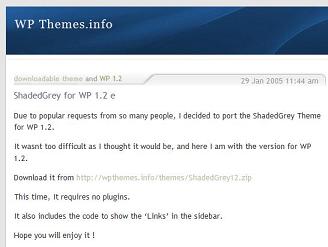
and can also be looked live at
http://wpthemes.info/shaded.php
Download it from http://wpthemes.info/themes/ShadedGrey12.zip
This time, It requires no plugins.
It also includes the code to show the ‘Links’ in the sidebar.
Hope you will enjoy it !
Please feel free to reachme @ simpleinside.com, for any queries or comment on this post.
Thanks.
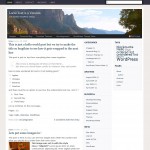
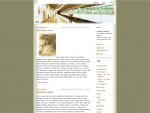
[...] Loo — sadish ShadedGrey - Theme is now available for WP 1.2 users as well, at wpthemes.info Enjoy.
This is what I was waiting for !
Thanks.
Hello Sadish, I tried installing Shaded Grey on my blog, and although it worked…In Internet explorer, the menu appears all the way at the bottom on my index. I have modified your original file, but the original does the same thing.
My edited version:
http://blog.dcharles.net/index.php
Your unedited version:
http://blog.dcharles.net/ShadedBlue.php
I modified your template to work with 1.5, according to the update found on the WP codex.
http://codex.wordpress.org/Upgrade_1.2_to_1.5
Just a few small changes, and all works well :)
Thanks for such fine work!
Kenny,
Its already available for 1.5, infact thats where it started.
check it out
http://wpthemes.info/posts/2005/01/15/shadedgrey-another-wp-15-theme/
and a link to your website may also be good.
Thanks.
Sweet themes, guys! I am going to use green-tracks as a starting point. I need to widen it to allow for posting wider images, and where did my links go?!
[...] After looking around a little bit, I found this great theme that as on the site now called ShadedGrey. This is probably one of the cleanest, well organized themes that I have [...]
Hi, thanks for the beautiful theme. I just updated this blog http://www.lawrencemmiller.com/blog but I need help with a couple of issues:
1. I am not sure where and how to edit the About Me section
2. I used to have some links listed with the previous theme and now I still see them in the admin area but not on the public view. Any idea how to activate the links?
Thanks in advance,
Mitko
hi,
i’m using ShadedGrey 1.2 theme, but the comments part don’t working? why?
While there is a version for 1.5, why do you still use 1.2
I believe the comments do not work, because you are missing wp-comments.php on the root folder.
please check it out