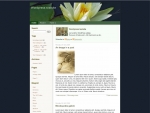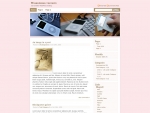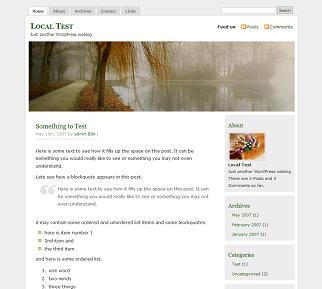
on May 25th, 2007MistyLook 3.3

I just put an update to the MistyLook theme, now at version 3.3 .
Its a minor release as such there are no features added.
The change log for this version is :
1. Fixed the height and width of the header image in the functions.php to be 760px and 200px respectively. This is the right setting.
2. Changed the default header image to an alternative header image Thanks to http://www.sxc.hu/photo/685577.
[The original mistylook's header is still available as misty2.jpg in the theme folder]
3. Now if you do not disable the shadow effect applied to images, you can use class=”noborder” for those img tags.
4. Minor style improvements in style.css.
Enjoy.
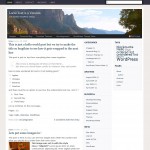
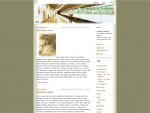
Thanks for this beautiful theme. I use your theme “MistyLook theme”, i have changed the header !
It’s an ergonomic theme, an he is very simply.
Bye
Hi … I like your theme. Unfortunately the search field covers part of the navigation. For wordpress.com users as I am and who have no access to theme editor this is sort of disturbing. Or can I change that? Georg
Hi, thanks.
I’ve downloading your two themes before. hope this great.
Does MistyLook 3.3 work with Wordpress 2.2?
Sadish,
My thanks to you; your ingenuity is exquisite. I sifted through no fewer than 2000 themes in preparation for my blog, and there was only one author whose work I admired: Sadish! Thanks again. I look forward to any and all future updates that you choose to make available.
Sincerely,
Tom Fahy
Martyn,
Yes. MistyLook works perfectly fine with WP 2.2.
Tom Fahy,
Thanks for the appreciations.
Sadish
[...] http://wpthemes.info/posts/2007/05/25/mistylook-33/ [...]
I am using MistyLook 3.1 and would like to update to 3.3 Is that possible or do I have to update to 3.2 first? Any help greatly appreciated because I’m really unfamiliar with updating a theme.
Thanks!
Elaine
you can directly jump to 3.3.1. just download the latest and install it.
Sadish
Thank you Sadish, worked perfectly! I’m very pleased with the updates on this theme. My custom image now displays the way I made it. I can use class=”noborder” on img tags. Thank you so much, your themes are the best and the support you offer to go along with them.
Greatly appreciated.
Elaine
Hi Sadish–
Just wanted to drop you a note to let you know how much I love your theme. It’s beautiful and the coding is so easy to understand. What a breath of fresh air!
Also, I think it’s great that you take the time to answer people’s questions. I run an informational website myself, and I know how tedious it can get! ;) Kudos to you, and a big THANKS!
Sara
I like this template and use it for the Wordpress.com blog I started.
Well done that man.
Hello,
Just wanted to say congratulations for your excellent theme.
I am using it on my Wordpress-hosted blog.
Keep up the good work!
I just translate your amazing theme to spanish.
I will send it, if you want.
Thanks. Beautiful. ¿Can I change the image and put one of my own?
Is there a printer-friendly stylesheet for this theme? I’m finding that its page printouts are a bit too plain.
Or could the CSS described on this page be made to work with MistyLook?
http://codex.wordpress.org/Styling_for_Print
Martha,
Yes you should be able to use the instructions from that page to create a print stylesheet.
If a lot more people asks for it, I will try to allocate some time for building it part of the theme.
Sadish
Thank you very very very and really very much…
On June 5th, I posted a question about making the MistyLook 3.3 pages more printer-friendly. Well, the fix is a lot easier than I thought. Here’s what to do:
Change this line in the header.php file:
” type=”text/css” media=”screen” />
to:
” type=”text/css” media=”all” />
This will give you a pretty nice looking printout in MSIE, sans the image at the very top of your pages. (It’s actually a background image, and they don’t print.) In Mozilla Firefox, you get a page break right after that background image. Opera will print the background image, but the rest of the printout’s a bit screwy. (The sidebar prints out on its own page.)
So, now I’m down to find a way of making the background image on my client’s site (which is her logo) show up on the printouts. Any tips on making that happen?
Hello Sadish,
Thank you for this wonderful theme! For me it was love at first sight! ;)
I love the way the css styling borders my images! You must have spent many weeks and even months developing the theme.
Btw, I just installed Lightbox, but it doesn’t work correctly with the theme. Has anyone managed to fix the problem?
And another question — How can I disable the orange bottom border in images that are links?
Any kind of theme customization queries should go to http://forums.wpthemes.info .
I am closing down the comments on this entry.