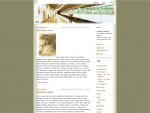
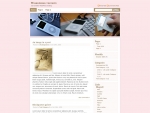
This is yet another theme site, created by Sadish Bala. Visit his WordPress blog at WordPress Rocks

on September 20th, 2005FastTrack Customized

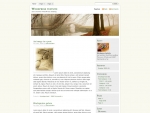
Englishman in New York is using the FastTrack theme, with a different header image.

It still holds good for the name ‘FastTrack’ and I like it very much.

Check it out and if you have seen different customizations of our themes anywhere, please do let us know. we will put them under SpotLight !
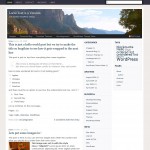
30 Responses to “FastTrack Customized”

  1. EiNYon 22 Sep 2005 at 2:33 pm 1

    Thanks for the compliment. And even bigger thanks for the theme! Best. pdberger.

  2. Marqueon 28 Sep 2005 at 8:25 pm 2

    Ooh, I like that!
    But, hey, what is the original picture for the greentopa.jpg image? I can’t find it.

  3. Theme Porteron 28 Sep 2005 at 11:40 pm 3

    you can see it in your own website !

    :)

    http://www.themarque.org/wp-content/themes/fasttrack/img/greentopa.jpg

    Yours Truly.

  4. Marqueon 29 Sep 2005 at 4:15 pm 4

    Thanks, but thats not what I meant.
    I meant the actual, original photograph, I know it is taken from a photograph on a website, I’ve seen it before, I just can’t remember where.

  5. Theme Porteron 29 Sep 2005 at 4:35 pm 5

    I think i got it from sxc.hu and then trimmed the portions that are not needed for me.

    Thanks.

  6. Marqueon 29 Sep 2005 at 9:30 pm 6

    Thanks! Exactly what i needed!

  7. Holly Wardon 04 Oct 2005 at 1:56 am 7

    I was so inspired by this that I downloaded it and customized it myself. My blog needed a makeover anyway. Thank you for coming up with a great theme!

  8. Brian Pon 06 Oct 2005 at 3:47 pm 8

    We are using a modified version of Connections on our site at http://candyaddict.com
    it’s not quite done yet, but it’s close.

    brian

  9. Andreon 08 Oct 2005 at 5:11 pm 9

    I’d love to use a modified version of it, there should be a part on this site with extra headers for it!

  10. Johnon 09 Oct 2005 at 1:30 am 10

    My site uses the FastTrack theme with more of a SlowTrack header photo. :?

  11. Maxon 10 Oct 2005 at 11:54 am 11

    I’m using your FastTrack theme, and am loving it. I did some customizing, added a few plug-ins and the likes, so please, feel free to take a look at http://www.rockmountworks.com/wordpress

  12. Bobbyon 10 Oct 2005 at 12:30 pm 12

    Hello,

    I’m currently using Greentrack, which I like alot, but I would like to use the fasttrack theme–but am unable to download since I don’t have winzip. Is it downloadable in any other format than winzip?

  13. Andyon 11 Oct 2005 at 6:19 pm 13

    Hi,

    I also customized FastTrack to my needs. Feel free to have a look! But beware, the content is german and I translated FastTrack too :-)

  14. Matton 12 Oct 2005 at 10:07 pm 14

    I’ve been using a slightly modified version of Fast Track at my site, but I have a question. I can’t for the life of me figure out how to change the text color of the header h1, the site name link. I changed the image and would like to keep the link there with a lighter color, but I can’t get it to work. I assume it’s the #header h1 in the stylesheet, but that doesn’t work. For now I just dropped the site name into my image itself.

  15. Theme Porteron 12 Oct 2005 at 11:04 pm 15

    Matt !

    Did you try #header h1 a ???

  16. Matton 12 Oct 2005 at 11:28 pm 16

    Thanks. I’m new at CSS hacking, I didn’t think of actually *adding* stuff instead of just changing what’s there :)

  17. Johnon 16 Oct 2005 at 11:35 pm 17

    Question from a non-coder who does things by tinkering: I wonder if anyone would be able to tell me how to make a small change I’ve been struggling with. I’d like to change the “Next Page” link at the bottom of a page to “Previous,” and the “Previous Page,” which on older pages points to newer pages to “Newer.”

    The only references I’ve found to those are not in the FastTrack theme files. They’re in wp-includes/template-functions-links.php and /template-functions-post.php. But (in the former file) there are several such references as well as what appear to be references to the functions involved. Using my test blog I tried changing the two references in /template-functions-post.php, but it had no effect. There are too many relevant looking items in /template-functions-links.php for me to mess with them without some sort of guidance.

    Anyone know if there’s an easy way to change that link at the bottom of the page? :?

  18. hinavaon 18 Oct 2005 at 3:32 pm 18

    did some some heavy customizing to FastTrack,

    take a look http://www.hinava.net

  19. Mozorkon 19 Oct 2005 at 11:42 am 19

    I’ve customized FastTrack, too. I have to say above all the themes I’ve been looking over, FastTrack ist way the best one!

    So, take a look: http://www.blog.mozork.de
    but beware, it’s german… ;)

  20. EiNYon 22 Oct 2005 at 4:00 pm 20

    Hey, I’m back again. This time with a request/suggestion/question.

    Have you ever thought about turning fastTrack into a three-column theme?

    The only difficulty I have at the moment is choosing which information to display towards the top of the page. It would be great to have two side columns as well as the main column!

    Best. And thanks again for a great theme!

    EiNY. :)

  21. Glenn Fincheron 03 Nov 2005 at 4:05 am 21

    New to WordPress after trying all of the free ones – decided to load WordPress on my own domain that had laid dormant for awhile & I found FastTrack! Now, if I can just figure out how to create an author.php file & link it to the ‘about’ link in the header…

    Thanks for a great theme!

    http://intoto.us/

  22. Glenn Fincheron 03 Nov 2005 at 4:06 am 22

    New to WordPress after trying all of the free ones – decided to load WordPress on my own domain that had laid dormant for awhile & I found FastTrack! Now, if I can just figure out how to create an author.php file & link it to the ‘about’ link in the header…

    Thanks for a great theme!

  23. Glenn Fincheron 07 Nov 2005 at 2:13 am 23

    Another question…? Any reason that the is in index.php instead of sidebar.php? I am simply trying to understand & customize…

  24. Jonathan Lundqviston 10 Nov 2005 at 11:48 am 24

    I also used FastTrack as a starting point. Quite modified now, though. :) Thank you so much!

  25. ziaon 15 Nov 2005 at 9:21 pm 25

    I modified Fast Track as well … I love it! Thanks for providing the best, bar none, templates for WordPress.

  26. Jackon 16 Nov 2005 at 3:12 am 26

    I like the fasttrack template (found at alexking.org) but have run into a problem trying to customize it. Namely, by default it does not show Wordpress link categories along with the links (which seems like an oversight, or am I the only one who uses link categories?). Anyway, I replaced the get_links line in its index.php with this:

    <?php get_links_list(); ?>

    This shows the link categories ok, but… the link font sizes are SMALLER than the link font sizes of the other items on the sidebar (which looks wrong). If I REMOVE the UL tags, the font size is correct but each link category shows a bullet next to it. I have tried putting both “list-style: none” and “list-style-type: none” in about every place imaginable in the style.css but the bullets will not go away. Very frustrating. I want the links to be the same size as every other link on the sidebar, with no bullets.

    I do not see this problem with the default kubrick theme (it is using get_links_list too), but I just cannot get it working with fasttrack. Any ideas?

  27. Johannon 16 Nov 2005 at 3:17 am 27

    I posted a problem found with your template here.

    http://wordpress.org/support/topic/49552#post-272295

  28. Theme Porteron 16 Nov 2005 at 9:23 am 28

    ok, if you use the link categories, it creates an unordered list within the unordered list.
    something like
    < ul>
    < li id="linkcat-1">
    < h2>Category 1</h2>
    < ul>
    < li>< a href=’#'>Alex< /a>< /li>
    < li>< a href=’#'>Matt< /a>< /li>
    < /ul>
    < /li>
    < /ul>

    so we just need to add a new style for “#sidebar ul li ul li”, that will take care of styling the links within that.

    so you go ahead and add these lines at the end of the stylesheet.
    #sidebar ul li ul li {
    margin:5px;
    padding:3px;
    font-size:1em;
    }

    if it is not the font-size you wanted, try 0.9em, or 1.1em for the font-size property.

    Hope that helps,
    let me know if you still have issues.

    Thanks.

  29. Johannon 16 Nov 2005 at 6:15 pm 29

    Thx, I responded to you on the wordpress site, same URL as above. The behavior is just quite strange…

  30. Dennison 10 Dec 2005 at 2:03 pm 30

    LOVE the theme! :-)

    Customized fastrack a bit as well on my site.

    http://blog.orgday.org/

Premium WordPress Themes