This is yet another theme site, created by Sadish Bala. Visit his WordPress blog at WordPress Rocks

Recently Posted on WordPress Rocks! by Sadish

on October 31st, 2007Introduction to MistyLook.org

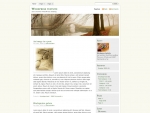
MistyLook is one among the most downloaded WordPress Themes of all time.

While I kept on working on this theme, for adding new features and for adding support for the latest WordPress releases, there are other people who put in their efforts too.

mistylookorg.jpg
Many people contributed to the popularity of this theme. It includes people who have ported this theme for other blogging networks such as Blogger and TextPattern and people who ported the theme for other languages.

It has been quite difficult to keep track of all these things happening around this theme.
Thats why this MistyLook.Org is created.

This site is purely for keeping track of what is going on around the MistyLook theme. The official Theme page and the official Support Forum will remain the same.

Thanks.

on October 29th, 2007GreenFlower Theme updated for WP 2.3

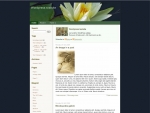
GreenFlower Screenshot
Green Flower
WordPress Theme, has been upgraded to support the latest WordPress version 2.3.
Check it out !

on October 10th, 2007Glad to be back

While I am still recovering all of my other websites, I am glad to have this site back online.

on September 25th, 2007WordPress 2.3 - Privacy Issue - My Thoughts

WordPress 2.3 is officially released yesterday and simultaneously a new controversy started brewing as well.

New Feature:

WordPress 2.3 introduces a new feature called “update notification”.

What it does?

Whenever you [mostly the administrator of the blog] login to your WordPress installation, It checks the version of WordPress and any plugins you installed and notifies you if there are new versions of them.

Sounds Good. How is it achieved?

Your WordPress installation sends the data about your website, to a remote server [WordPress.org] and receives the information from that Server and notifies you if there are new versions.

Cool. What is the problem with this?

The Problem is with the data that is being sent. It is sending personally identifiable information such as your website’s URL, your hosting server’s capabilities, your host’s IP address, the list of plugins you are using and their versions to WordPress.org.

How would they use this information?

When asked, they do not even know what is the use of knowing your website’s URL but their response was “they will find some use for it in the future“.

We will have an option to turn this feature off. right?

No. There wont be any option that you can go and uncheck. You should grab the following two plugins and install them, according to the same discussion.
1.http://wordpress.org/extend/plugins/disable-wordpress-core-update/
2.http://wordpress.org/extend/plugins/disable-wordpress-plugin-updates/.

Ok. at least there are some options for those who know how to upload new plugins and install them.

but how about those innocent people who does not know how to install these two plugins?

Those websites will send that information to WordPress.Org and they will use it according to their privacy policy.

Thats all I have for now and if I come to know more things, I will update this post.

on September 24th, 2007MistyLook 3.5 for WordPress 2.3 and below


screenshot1.jpg
As I added support for WordPress 2.3 in the latest version of MistyLook [3.5], I added the function “the_tags()” in index.php and in single.php, without checking for its existence.
This has caused the theme to break for earlier versions of WordPress.
I did fix it now, and the fixed version is available now.

Enjoy!

on August 31st, 2007Two New Free Themes

screenshot.jpg
GloriousDay and GloriousFuture, WordPress themes were released for free today at the free themes section of my WordPress Theme Shop.

Enjoy and have a nice weekend ! See you on September 5th !

Premium WordPress Themes